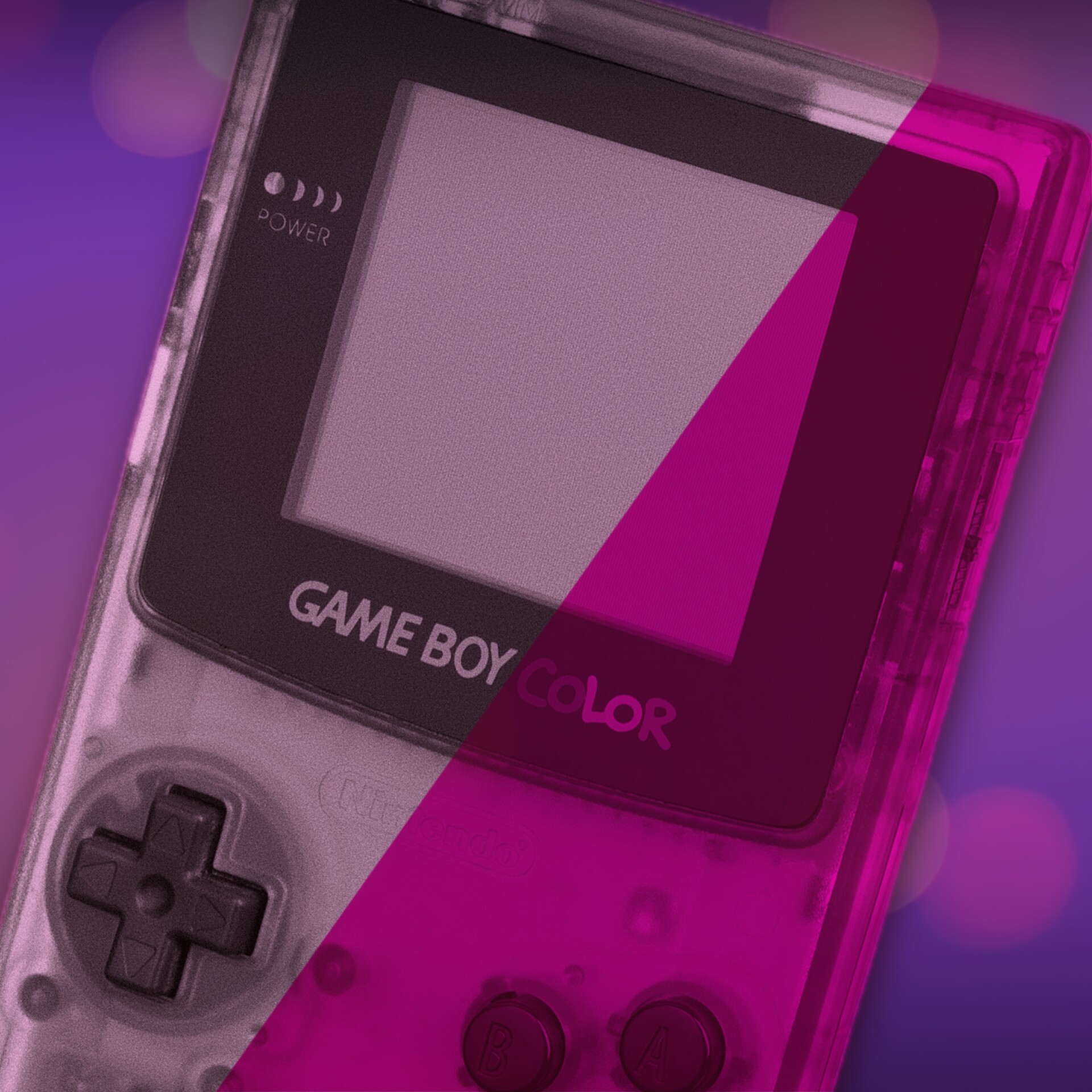


When Nintendo released the Game Boy Color in 1998, players didn’t just get a new system with new features. They got an upgrade that instantly refreshed the games they already owned.
The Game Boy Color was backwards compatible with virtually the entire original Game Boy library. This meant hundreds of titles – from Tetris to Pokémon Red – were ready to play straight away, in colour, right out of the box.
This was a deliberate design choice by Nintendo that helped preserve players’ existing game collections, ensured continuity across its handheld line, and made the upgrade feel worthwhile from day one. And Nintendo pulled it off with a few genuinely clever tricks.
Rather than emulate the old hardware, Nintendo’s Research & Engineering Department – led by engineer Satoru Okada – designed the Game Boy Color around the same core CPU design as the original Game Boy. The custom Sharp SM83-based processor in the Color was certainly more powerful but very much an evolution. This approach meant original cartridges could run on the new system without a translation layer. Insert a grey cartridge and the Game Boy Color simply speaks the same language as the original. It runs the game as written, then lets the newer display hardware handle the colour.
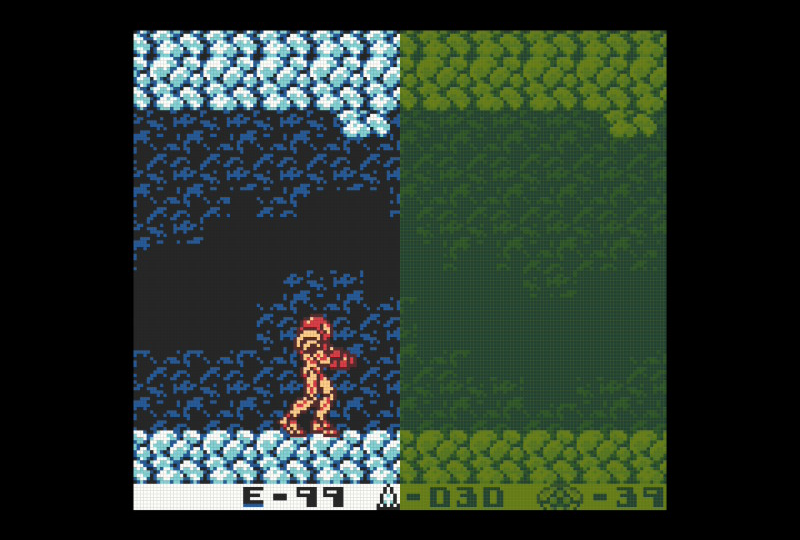
Sadly, the Game Boy Color screen isn’t backlit, but in the right conditions it’s an unmistakable improvement. Instead of showing four shades of grey, it can render up to 56 colours simultaneously from a palette of 32,768.
However, because original Game Boy games don’t contain any colour information, Nintendo’s challenge was figuring out how to map a game’s old monochrome graphics into this new, colourful world. The solution is a system of colour palettes that the Game Boy Color can apply to older games. These work in three ways, depending on the type of game cartridge and the player’s inputs at startup.
Built-In Palettes
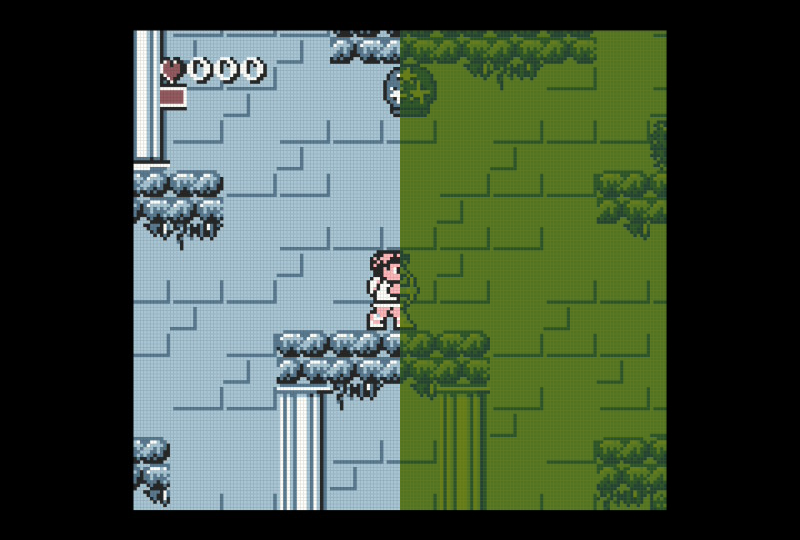
The Game Boy Color’s internal firmware contains default colour palettes for many first-party titles and popular games. When the system detects one of these cartridges, it automatically applies colours that fit the game. This was similar in spirit to the Super Game Boy for the SNES, which stored palettes for certain games to automatically colourise them in ways that matched designer intent.
These defaults are limited in number because they live in a small bootstrap ROM that references information in the cartridge header. This method ensures that popular titles like Metroid II: Return of Samus, Kid Icarus: Of Myths and Monsters, and Super Mario Land 2: 6 Golden Coins look significantly better on the Color than they would with generic hues.
Selectable Palettes
For games that don’t have an automatic match in the built-in table, the Game Boy Color offers up to 12 different colour palettes that players can select by holding certain d-pad and button combinations at startup.
Combining a direction with the A or B button yields additional schemes, including standard grayscale, reversed colours, and more. This system gives players a degree of control over how their old games look in colour, even if the developers never designed them for it.

If a cartridge has neither a built-in default palette nor a user selection, the Game Boy Color simply maps the four original shades to a generic colour palette that roughly approximates classic Game Boy tones.
Three Cartridges
Nintendo also structured its cartridges to support the new platform by using the plastic shell as a visual indicator of how each game would behave when slotted into a Game Boy Color. It’s a clever, low-tech solution to a potentially confusing problem. At a glance, you can tell whether a game is for the original Game Boy, enhanced for Color, or built exclusively for the new hardware.
Grey cartridges are standard original Game Boy releases. These boot on the Game Boy Color, running exactly as they always did, just with the Color’s palette system applying colour to the four original shades of grey. For players at the time, this ability to renew older games was the system’s greatest magic trick. I remember cycling through the options to get the best look in Batman and Teenage Mutant Hero Turtles: Fall of the Foot Clan (as it was called in the UK) — sometimes more than actually playing the games, just because it was fun to do.
Black cartridges are dual-mode releases and often labelled “Game Boy Color” on the packaging, but still compatible with older hardware. On an original Game Boy, they run in grayscale like any other title. On a Game Boy Color, they can display enhanced colour and, in some cases, take advantage of additional features. A classic example is The Legend of Zelda: Link’s Awakening DX, which plays perfectly on older systems but has new content and looks noticeably richer on the Color.
Finally, translucent cartridges are Game Boy Color-only. These games are built to take full advantage of the Color’s hardware, and they won’t run on older Game Boy models. The shell design also removes the notch used by original Game Boy cartridges, which means a standard Game Boy physically can’t slide its power switch into the “ON” position. These carts signal, plainly and immediately, that the game belongs to the new generation.

Much like a new PC or Steam Deck, part of the Game Boy Color’s appeal was that you weren’t buying just a new system. You were buying a new way to revisit a game library you already owned. I never knew I wanted to play Bugs Bunny Crazy Castle again, but add a magic splash of colour and, somehow, I absolutely did.
Although the Game Boy Color had a relatively short life, its arrival was well timed. Pokémon Red and Blue helped make the ageing Game Boy feel essential again, and the Color gave it another late-life surge.
With clever use of hardware compatibility, built-in palettes, and user-selectable schemes, Nintendo crafted a solution that was technically elegant and player-friendly, and set up a compatibility chain that carried through to the Game Boy Advance.
By the time Nintendo retired the original Game Boy family, the line had sold about 118.69 million units worldwide. Not too shabby for hardware some dismissed as underpowered back in 1989. Fittingly, it went out with a practical upgrade that let its classics shine one last time.