



I sometimes spend as much time thinking about the process of playing video games as I do playing them.
It’s a mid-life thing, for sure. When I was younger, in that sweet spot of having time, space, and relatively few responsibilities, all I needed was a console (or three) and a TV. With age, work, and family, things become more complicated. It’s a familiar complaint among middle-aged gamers. The TV is not always available. Time is often short. Playing games is less about dedicating an evening and more about finding the odd pocket of opportunity.
The Nintendo Switch was groundbreaking because it was capable of inserting itself into that space so neatly. Its success came from the ability to adapt to modern life, enabling you to play proper console games, but on your own terms. Docked to the TV, but also on the sofa, in bed, on a commute, or on the loo. (We’ve all been there.)
Since then, advances in handheld chip technology have made increasingly powerful gaming experiences possible on portable systems.
Mobile gaming remains dominant, of course, but it has never fully replaced the appetite for dedicated handheld hardware, or the appeal of taking console and PC games on the go. The Steam Deck, Switch 2, Xbox Ally, and a growing number of other handheld devices all speak to the same desire for games to fit around our lives, not the other way around.
Where Nintendo has taken a “handheld up” approach, Sony and Microsoft have focused on extending their home console experience to other screens.
Microsoft, with its now-discontinued “This is an Xbox” campaign, made the case that the console was just one part of a wider ecosystem built around remote play, cloud gaming, and subscriptions. Sony took a similar but more discreet path with the PS Remote Play app, and then in 2023 introduced a dedicated streaming peripheral: the PlayStation Portal Remote Player.
First impressions
At first, the PS Portal was greeted with a fair degree of scepticism. With PS Remote Play already available on phones, tablets, PC, and Mac, the obvious question was: who exactly needed this thing? It was easy to dismiss as a luxury accessory. A solution looking for a problem.
And yet, over time, it has built up an enthusiastic fan base. Take a quick look at Reddit and you’ll see hundreds of posts from evangelising owners insisting that the device has changed the way they play.
I love my PlayStation 5, but access to the living room TV is undoubtedly a problem. Over the past few years, I’ve relied on the PS Remote Play app alongside with the excellent Backbone mobile controller for much of my PlayStation gaming. It worked well enough, although it was always a shame to see those big shiny graphics squeezed down to such a small screen. My experience with PS Remote Play on my Mac was also positive, but hardly a portable solution.
In the background, the praise for the Portal increasingly nagged at me, a slow burn of encouragement dangling the prospect of a larger screen, haptics, and DualSense-style ergonomics.
The Portal looked unnecessary, certainly, but it also looked comfortable, convenient, and it definitely played into my passion for gaming gadgets and peripherals.
So, despite the recent price rise, I picked one up.
Face to face
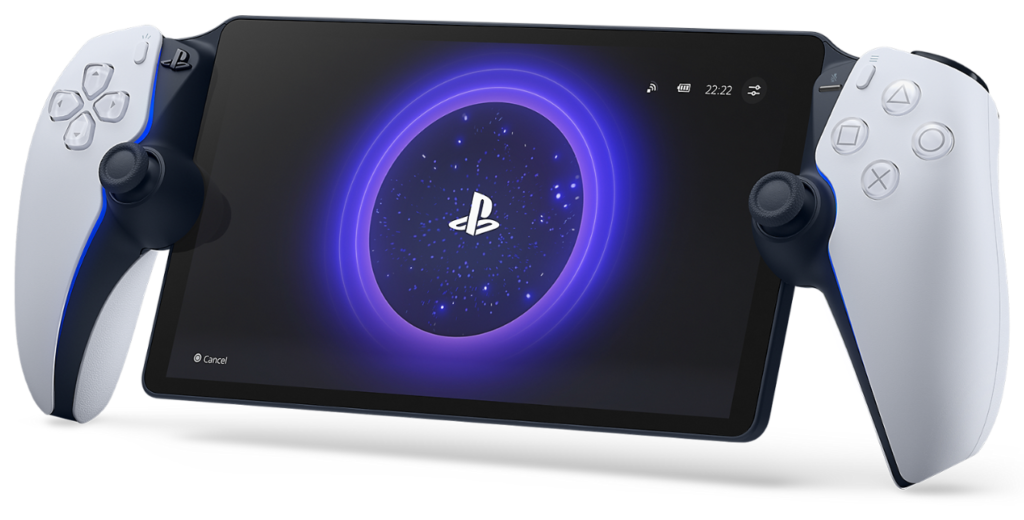
At first glance, the Portal looks simultaneously sleek and unwieldy. The common criticism that it resembles a DualSense controller split in two by a small tablet is not entirely unfair. It’s certainly not as svelte as a Nintendo Switch or Switch 2, but once it’s in your hands, that hardly matters.
The ergonomics of the device feel entirely natural, giving you something substantial to grip comfortably rather than perch on your fingers. I’ve never had any trouble with the Switch’s form factor, although I know some people do. On the flip side, I’ve never been able to get along with the Steam Deck’s weight and width, often finding it uncomfortable over longer sessions. The Portal splits the difference nicely, balancing ‘holdability’ against overall weight. I’d be surprised if anyone finds it truly uncomfortable to use.
The face button layout is a perfect match for the DualSense and feels instantly familiar. The two thumbsticks are smaller than those on a DualSense but, crucially, they also feel good and are no less easy to manoeuvre, click, or hold in place. The only major input change compared to the standard PS5 controller is the lack of a touchpad, which is replaced here by the Portal’s touchscreen, with two dedicated areas appearing on either side of the screen when needed. In practice, it works well enough, although it’s one of the few areas where the Portal can feel compromised.
Touchy-feely
Ever since I picked up Lylat Wars in 1997 with its Rumble Pak peripheral, I’ve loved the way physical feedback can enhance games. It’s not realism, exactly, but the technology adds a layer of texture and depth that, for me, really improves the experience.
This generation, Sony made a real statement with the DualSense controller. Its haptics can be delicate enough to suggest the patter of rain or the crunch of footsteps, while the adaptive triggers can sell everything from the tension of drawing a bow to the kick of a shotgun.
Not every game uses it to its full potential, sadly, but some do, and it was one of the features I missed most when playing through the PS Remote Play app. The Backbone controller is great, but it can’t replicate the full DualSense experience. With the Portal, that feeling returns. The screen might be the most obvious and immediate upgrade, but for me, there’s just as much magic in having those haptics back in my hands.
The 8-inch 1080p display should not be undervalued, however. It may only be an LCD panel with a 60Hz refresh rate, but in most circumstances the picture quality is exceptional. Sony also recently updated the device with a new 1080p High Quality mode, which increases the streaming bitrate compared to the standard 1080p option. Combined with the larger screen, it’s a huge upgrade over the mobile remote play experience.
Connections
So far so good, but there are some drawbacks, and some of the limitations feel stranger than others. The inability to easily support multiple PSN accounts is a nuisance, particularly in a shared household. Battery life is good rather than amazing. And of course, you need a PS+ subscription to access PlayStation’s Cloud Streaming service. There is also no media app support, which feels like an odd omission for a device with such a decent display. You can play God of War Ragnarök in bed, but you can’t watch Netflix or listen to Spotify.
The system also does not support standard Bluetooth headphones. Instead, wireless audio is limited to PlayStation Link-compatible devices, such as Sony’s Pulse Explore earbuds and Pulse Elite headsets. A standard 3.5mm audio jack helps mitigate the problem, but it’s a baffling miss, especially for a device so clearly designed for convenience.
And then there is bigger issue: network connection.
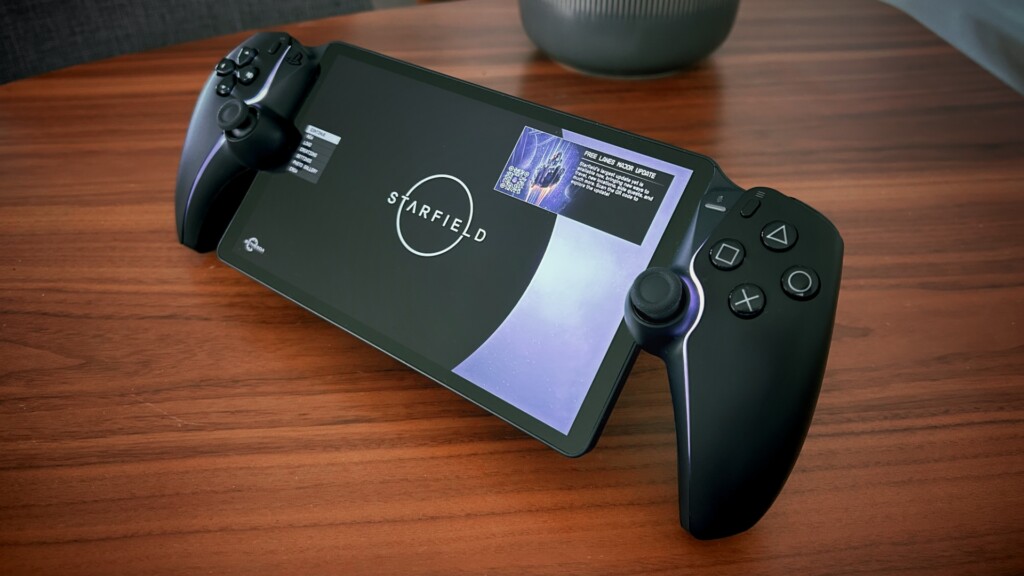
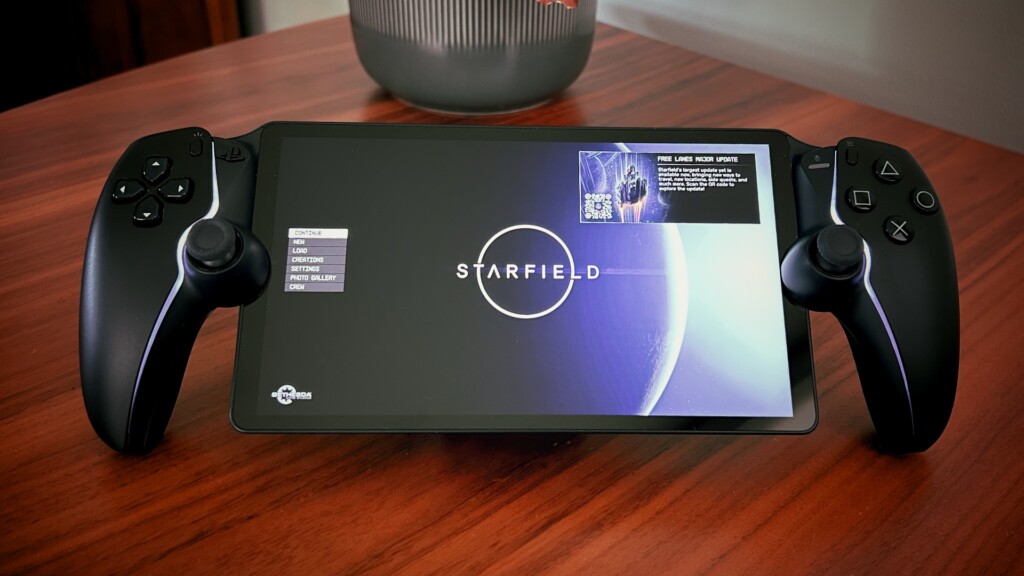
My primary use case is Remote Play at home, most recently slogging through Starfield for hours on end while others hog the TV to binge-watch seasons of Love Is Blind and Outlander.
My PS5 is connected via ethernet to my router, and the Portal connects over 5GHz Wi-Fi. Across my testing, pixelation and artefacting have been minimal, with everything from Pragmata to Starfield looking sharp with no perceptible lag.
The only notable image break-up I’ve encountered has been in Forza Horizon 5, usually while racing at full pelt across the Mexican countryside. Fast-moving scenery, bright lighting, and a lot of detail rushing past the screen seem to expose the limits of streaming. It certainly isn’t enough to ruin the experience, but it serves as an occasional reminder that you are not playing natively. Overall, the Portal’s at-home performance has been genuinely impressive.
Helpfully, you can test your local streaming experience using the mobile or computer PS Remote Play apps before committing. If it looks and feels OK there, you can probably pick up the Portal without too much worry.
Away from home, however, my Remote Play and Cloud Streaming experience has been more variable and obviously more dependent on network quality. At my mother-in-law’s, a connection of 453.0Mbps down and 102.6Mbps up resulted in a perfectly acceptable experience. However, there have also been times on notionally better connections when performance has been worse.
Speed matters, but it is not the only factor. The number of connected devices, network congestion, router quality, latency, and available bandwidth all come into play. The Portal can feel like magic when everything lines up, but when it doesn’t, the illusion can falter.
The Future
My biggest concern is for the future. There are obvious improvements Sony could roll out to the device, such as multi-account support, broader Bluetooth compatibility, and media app playback. But beyond that, I truly hope the PlayStation 6 supports the device. That is not a given, especially with rumours pointing to Sony’s next system being split between a traditional console and a dedicated handheld. The Portal feels like a device built for the PS5 era, but it would be a terrible move from Sony if its usefulness ends there.
For all its limitations, the Portal has carved out a place in my gaming life. It isn’t essential, and it won’t suit everyone. But for the right person, in the right household, with the right network, it’s excellent. It’s perhaps expensive for what it is, but when you are blasting Overlords in Saros, with that lovely rumble under your palms, none of that really matters.
The PS Portal is a luxury, true, but it’s also a surprisingly good answer to the question nobody was asking.